25 Teenage Gamer Bedroom Ideas You Need To Copy
Most teenagers end up with a gaming setup that grew by accident — a monitor here, a strip of LEDs there, a chair that was never meant for six-hour sessions. The room works, technically, but it never quite looks the way it does in the setups you save on Pinterest or screenshot from YouTube tours.
The gap between those rooms and yours is rarely about budget. It is almost always about intention.
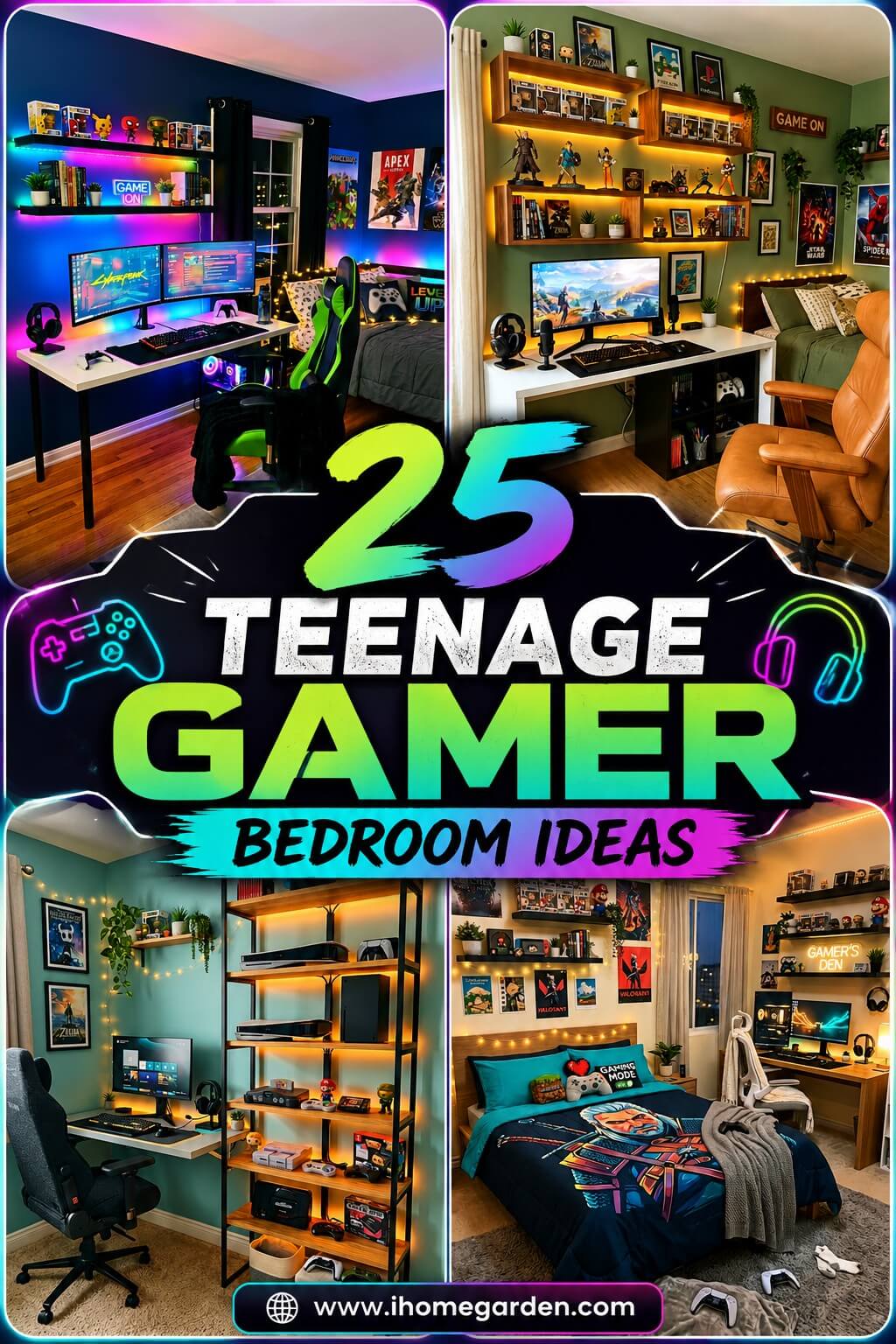
These 25 incredible teenage gamer bedroom ideas came from actually studying what separates a room that looks thrown together from one that looks designed. Small decisions — where the lighting layers, how the desk is sized, what goes on the walls — compound into a space that feels genuinely different to be in. The kind of room where friends walk in and immediately ask who set it up.
1. Immersive RGB Lighting Setup for a Teenage Gamer Bedroom
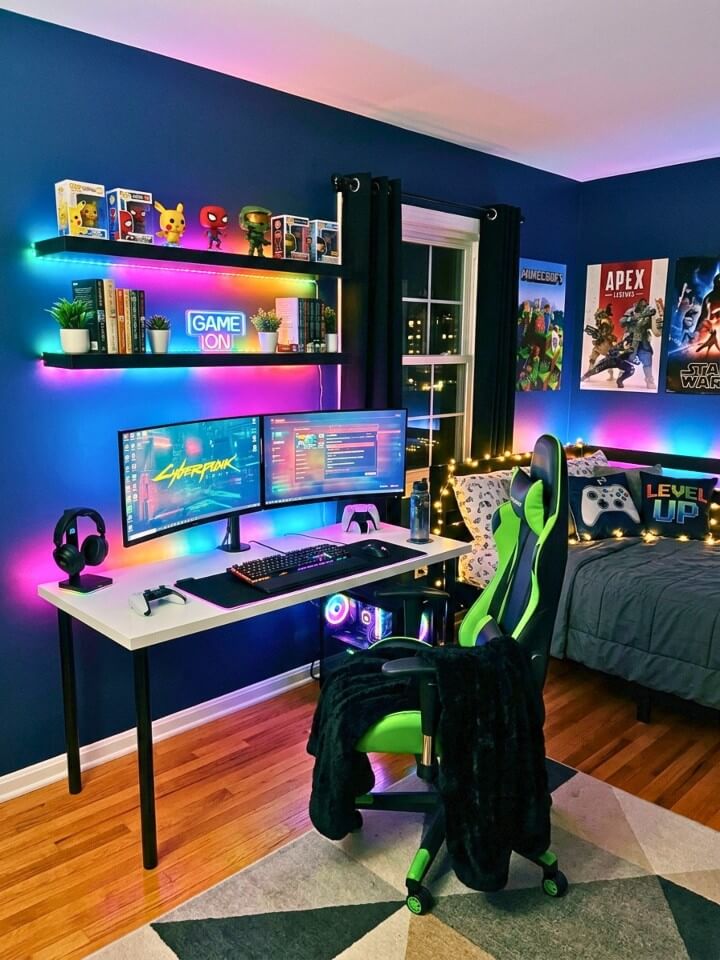
RGB lighting is the fastest transformation for a gaming bedroom — and it works at any budget. The key mistake: placing one strip behind the monitor and wondering why the room still looks flat. Treat lighting in layers instead. Monitor backlighting handles the desk zone. Shelf underlighting adds mid-room depth. A ceiling perimeter strip ties everything together. Each layer does a specific job — remove one and the others feel incomplete. Avoid cheap no-brand strips; colors drift within two months. Govee and Lepro ($18–$25) hold accurate color for years. The price gap is small. The quality difference is not.
2. Custom Gaming Desk Station
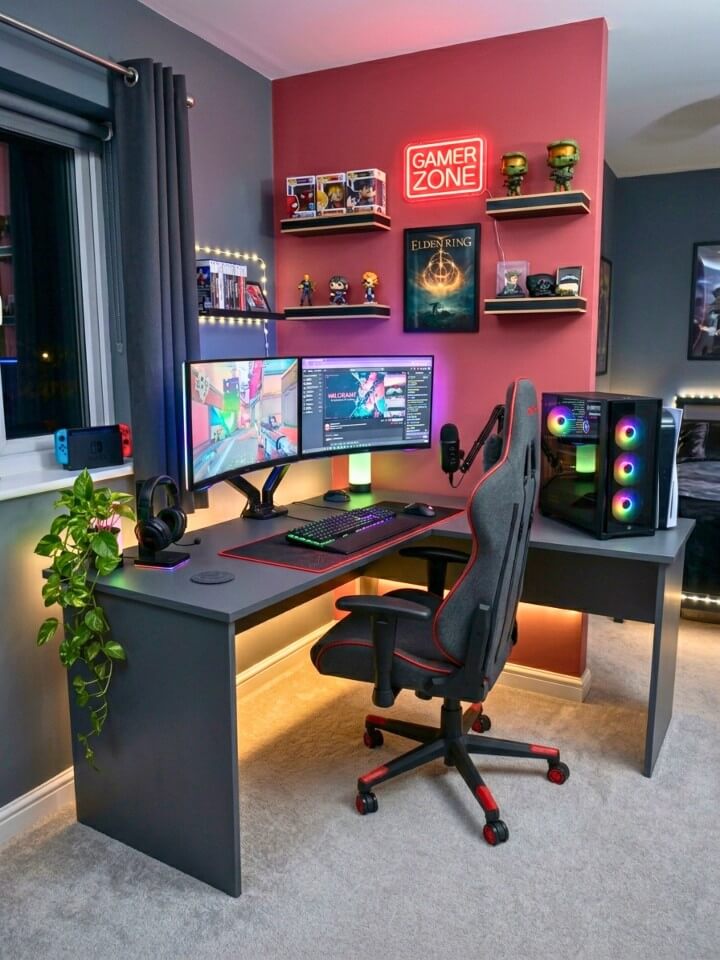
Most desk guides focus on aesthetics. What actually matters is depth. Standard desks are 24 inches deep — that sounds fine until a monitor arm, keyboard, mousepad, and wrist rest compete for the same surface. A desk with 28–30 inches of depth gives actual breathing room and keeps everything ergonomically positioned. Equally important: ergonomics over aesthetics. An aggressive-looking desk at the wrong height causes neck strain, wrist pain, and back issues over months of long sessions. A plain desk at the correct height with proper monitor distance does more for your health and performance than any RGB trim or carbon fiber finish.
3. Themed Wall Art & Posters
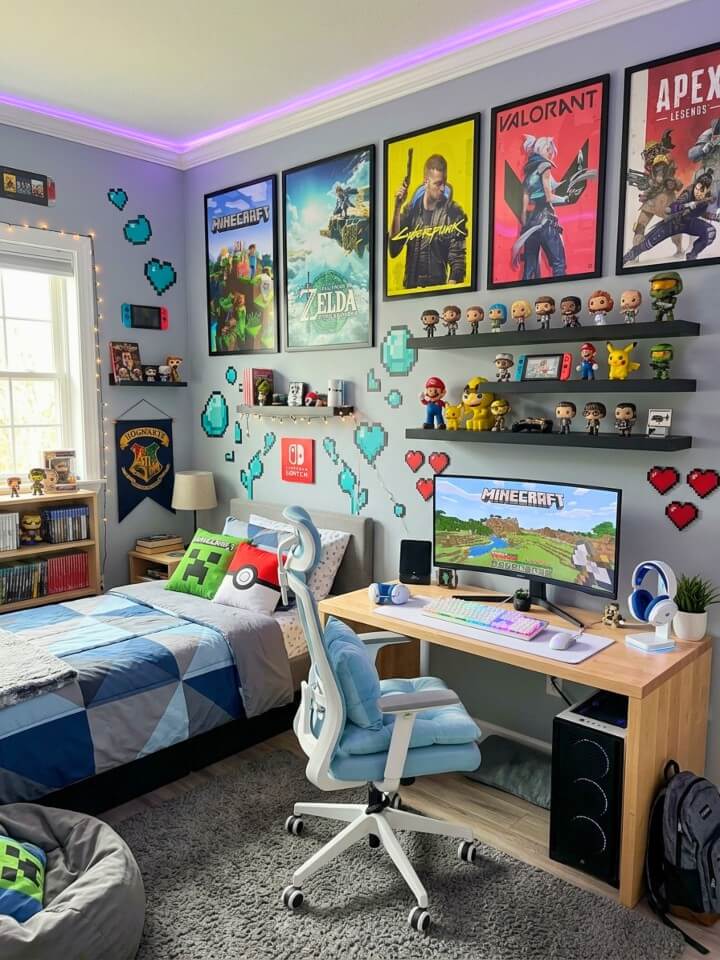
The wall behind your desk appears in every stream, video call, and screenshot. Treat it as a deliberate design decision, not an afterthought. One dominant large piece — a 24×36 inch canvas or framed poster — creates visual weight that a grid of small prints never achieves regardless of how many you add. Restraint consistently beats coverage. For longevity, avoid game-specific character art; it feels dated 18 months later when your interests shift. Art that references gaming culture visually without being title-specific — circuit board patterns, abstract pixel compositions, retro controller line drawings — ages well and looks intentional rather than like merchandise.
4. Floating Shelves for Collectibles
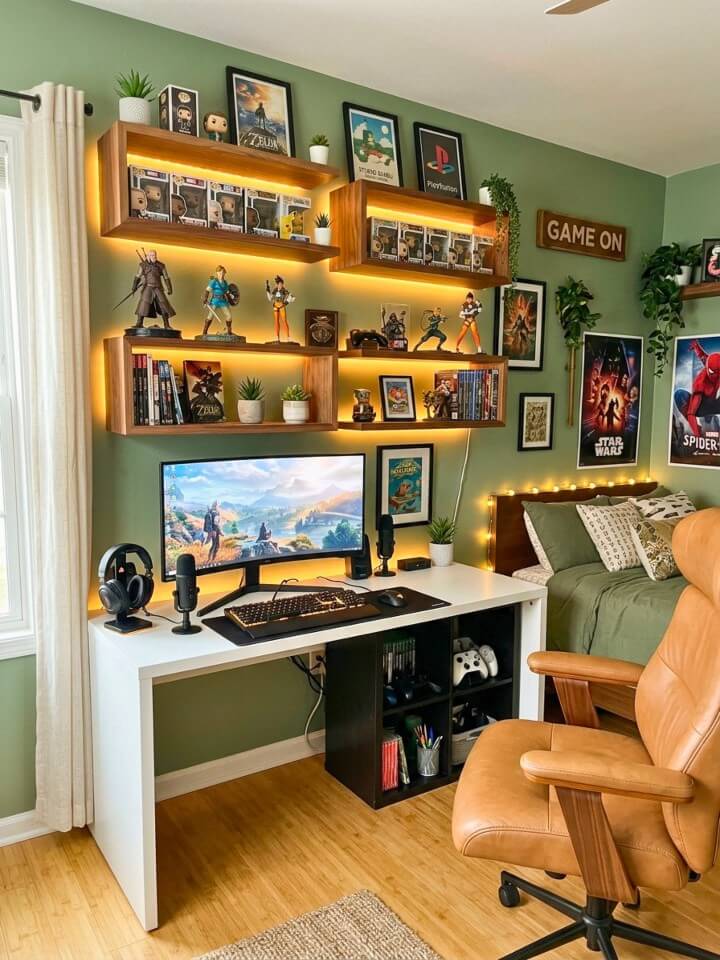
Floating shelves let you display a collection properly without a full furniture overhaul. A single horizontal row at the same height looks like storage. Three shelves mounted at different heights — one higher, one mid-level, one lower, offset horizontally — draws the eye across the wall and makes the same items look curated rather than stored. Lighting transforms the display further. LED strips mounted to the underside of each shelf cast downward glow that creates shadows behind each figure, adding genuine dimension. Warm white works for a cleaner look. RGB matched to the room theme works for a more immersive setup.
5. Relaxation Zone Every Teenage Gamer Bedroom Needs
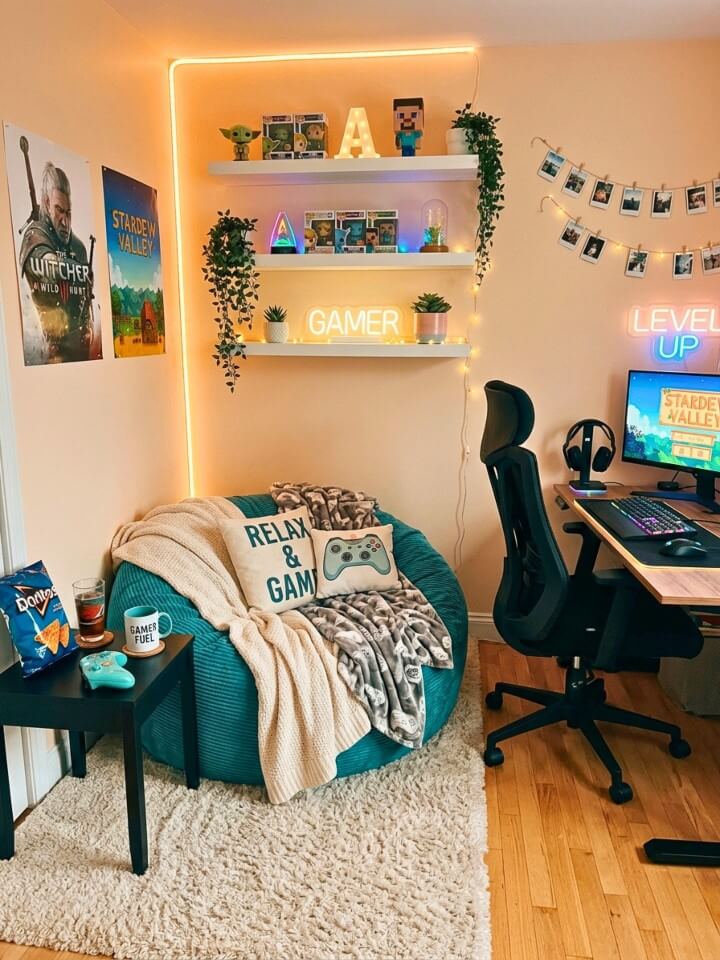
The best teenage gaming bedrooms have two distinct areas: a desk zone optimized for performance and a nook optimized for low-pressure gaming, streaming, or unwinding. What actually creates the cozy feeling is enclosure and light — not cushions or throws alone. A corner with two walls already provides natural enclosure. The lighting must be dim and warm, separate from the desk’s RGB atmosphere. One change in lighting tone makes the same corner feel like a different space. Keep the nook from becoming a clutter zone by limiting it to one small surface with one clear purpose: controller, drink, nothing else permanently.
6. Wall-Mounted Monitor Setup
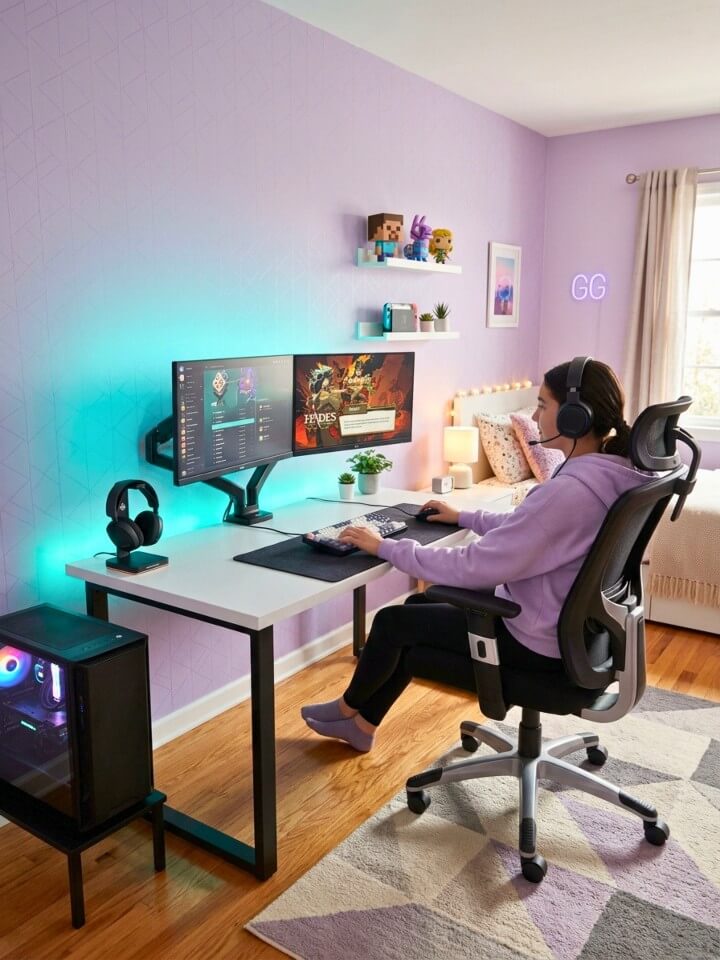
Removing a monitor stand from your desk immediately opens surface space and makes the whole setup look cleaner. The ergonomic case is equally strong — a fixed stand locks your screen at one height, while an adjustable arm lets you dial in the exact position for your specific chair and posture. That matters considerably more over a three-hour session than during setup. Key detail: check weight ratings before buying any arm. A 27-inch or larger monitor on an underpowered arm gradually droops over weeks. The arm should be rated for at least 2–3 pounds more than your monitor’s actual weight to hold position reliably.
7. Gaming Console Display Corner
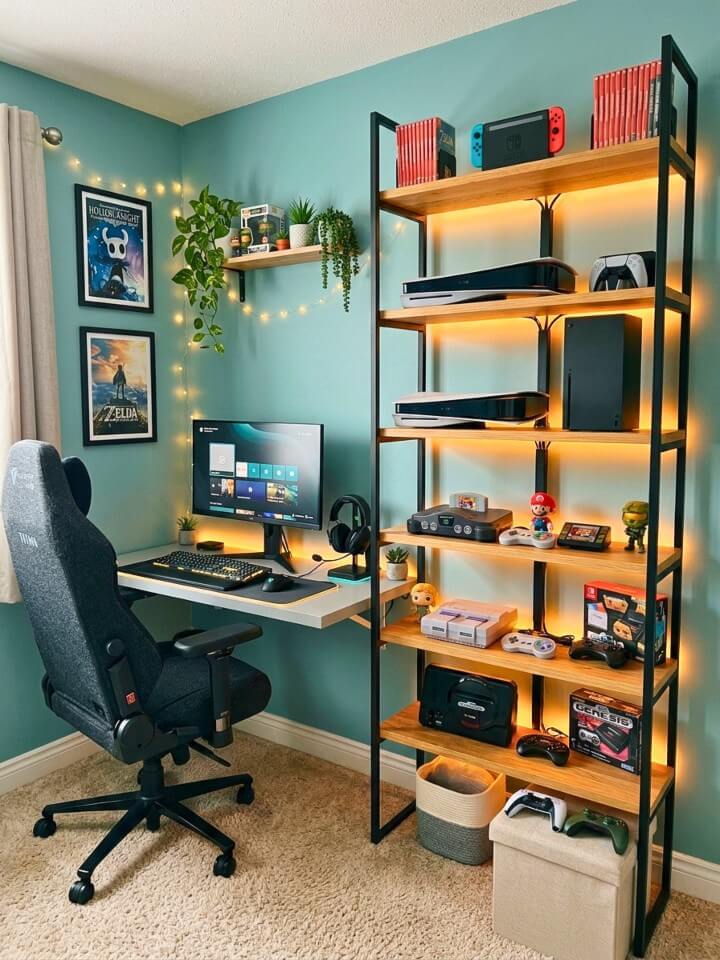
Consoles represent real money and real history — display them accordingly. The functional side matters as much as the visual side. Current-generation hardware needs at least two inches of clearance on sides and top. A PS5 or Xbox Series X running in an enclosed cabinet with poor airflow will thermal throttle during long sessions, affecting performance in ways that aren’t always immediately obvious. Organize by actual usage: daily drivers go at the most accessible height, older consoles sit higher as display pieces, and hardware you genuinely never use belongs in storage. For lighting, a thin steady LED strip creates depth without competing with the consoles themselves.
8. Accent Wall with Game-Inspired Colors
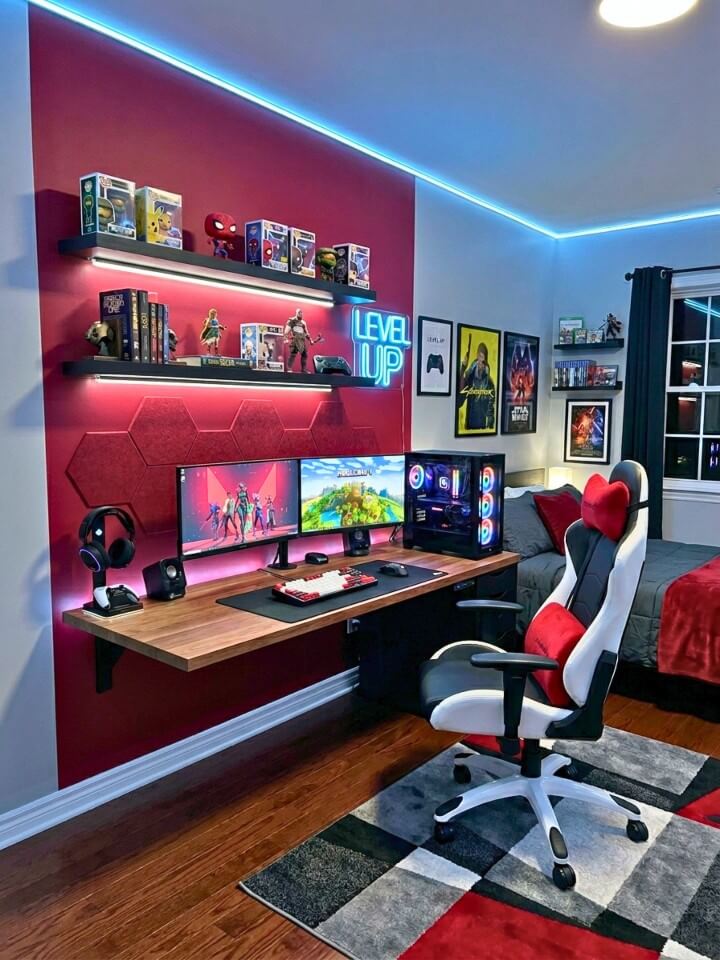
Color does psychological work that furniture and lighting cannot replicate. Dark accent walls work particularly well in gaming rooms because they operate in controlled lighting. In a room where you manage every light source, dark walls absorb ambient light, make screen colors pop, and create genuine immersion that bright walls actively work against. Choosing the right color requires thinking about the room as a system: wall color, LED tones, desk and chair color, and wall art all interact. A deep navy wall with warm white furniture and blue LEDs creates cohesion. The same navy with a red chair and green LEDs creates visual conflict that no amount of decoration resolves.
9. LED Gaming Shelf Labels
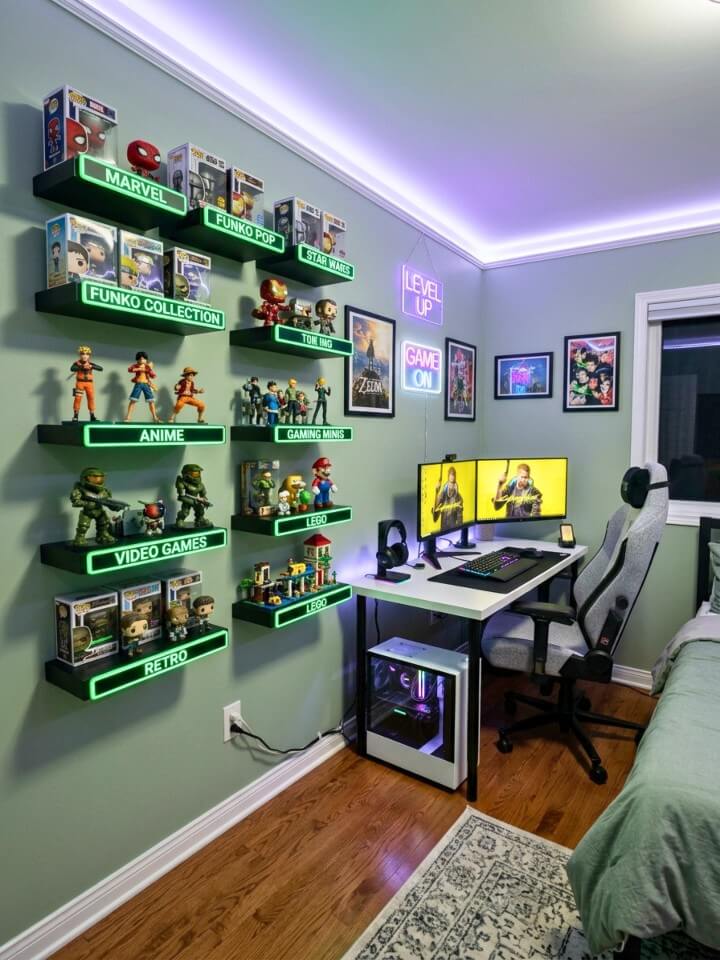
Lit shelf labels are the kind of detail people notice without knowing why a room looks more finished. In a dim gaming room with multiple shelves of controllers, headsets, and accessories, clearly marked storage builds muscle memory — everything returns to a defined home without turning on overhead lights. Generic labels (“controllers,” “headsets”) work functionally but add no personality. Custom acrylic nameplates backlit in your preferred color, labeled by game series or console generation, make shelves feel designed for your specific collection. Custom acrylic labels from independent sellers typically run $15–$30 per shelf. The upgrade over printed paper labels is immediately visible. Prioritize shelves at eye level — highest impact.
10. Under-Bed Storage for Gear
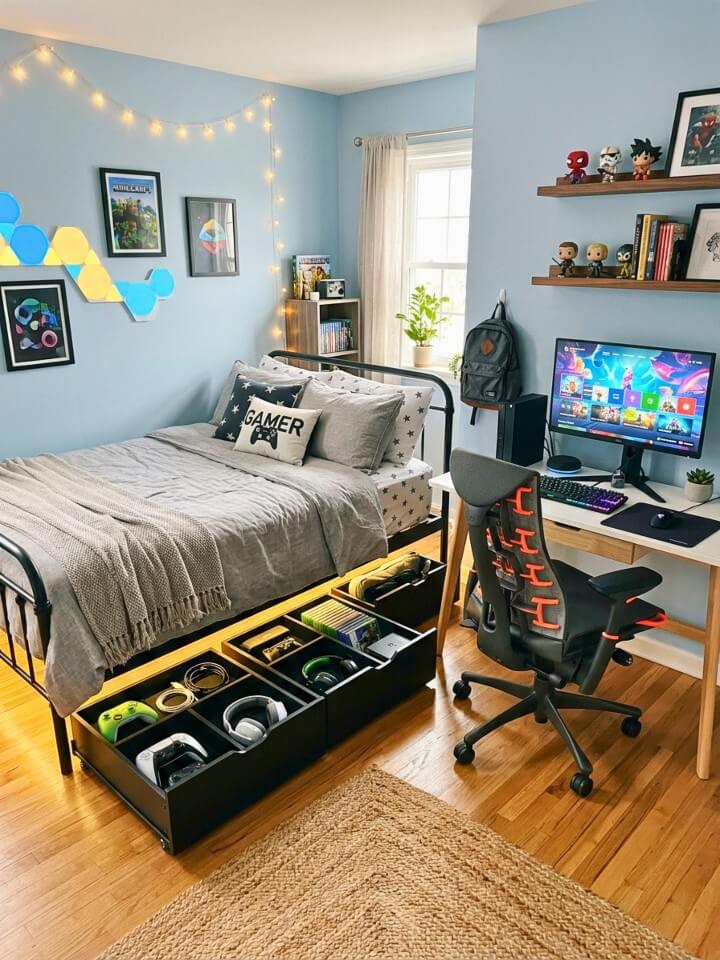
Gaming floor clutter — spare controllers, old headsets, extra cables, charging bricks — accumulates fast because there is no obvious home for it. Under-bed storage is the most space-efficient solution in a bedroom. The mistake: using it as general overflow. That guarantees a disorganized mess. It works when categorized from day one. Use three categories: active backup items you rotate regularly, archived items you keep but rarely access, and seasonal gear. Active backup goes in the most accessible bin at the bed edge. Archived items go in the back. Before buying anything, measure clearance — platform beds need slim-profile containers, while taller frames can fit rolling drawer units.
11. Gaming-Themed Bedding
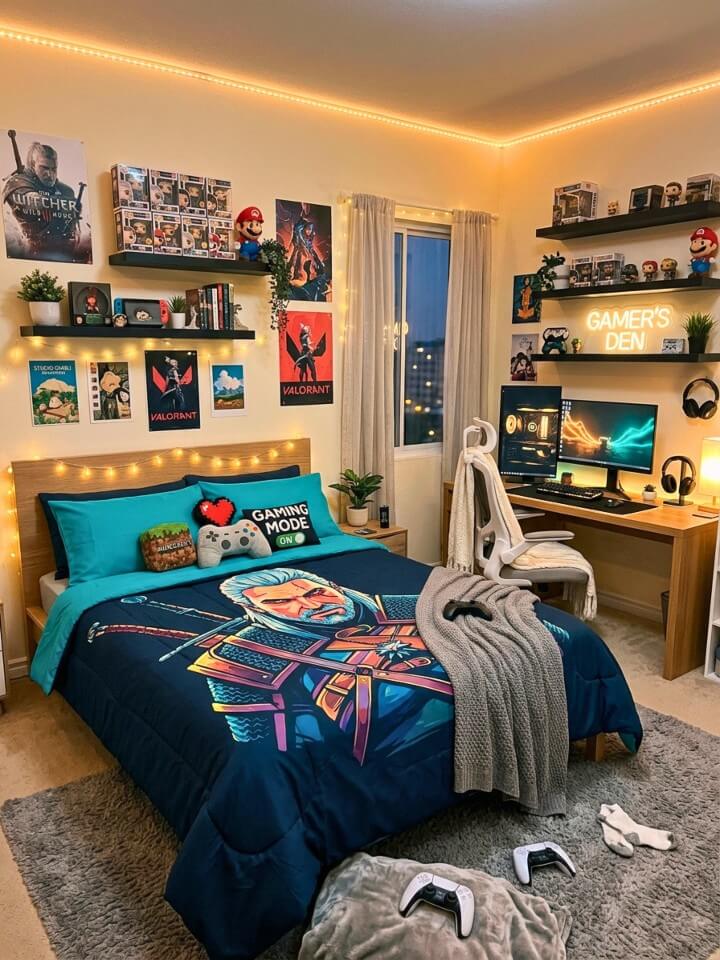
The bed is the largest single surface in the room. It’s at eye level from the doorway and appears in every photo. Most teenage gamers ignore it entirely — then wonder why their room never looks as cohesive as setups they see online. Bedding doesn’t need to scream gaming. The rooms that look most intentional usually avoid character graphics and use color as the connection instead. Bedding in the same deep navy, charcoal, or forest green as your accent wall or LED theme creates visual continuity that pulls the whole room together. On quality: cheap microfiber sets pill after ten washes. Cotton-blend sets at 300 thread count hold up and look significantly better six months in.
12. Interactive Wall Panels (Pegboard)
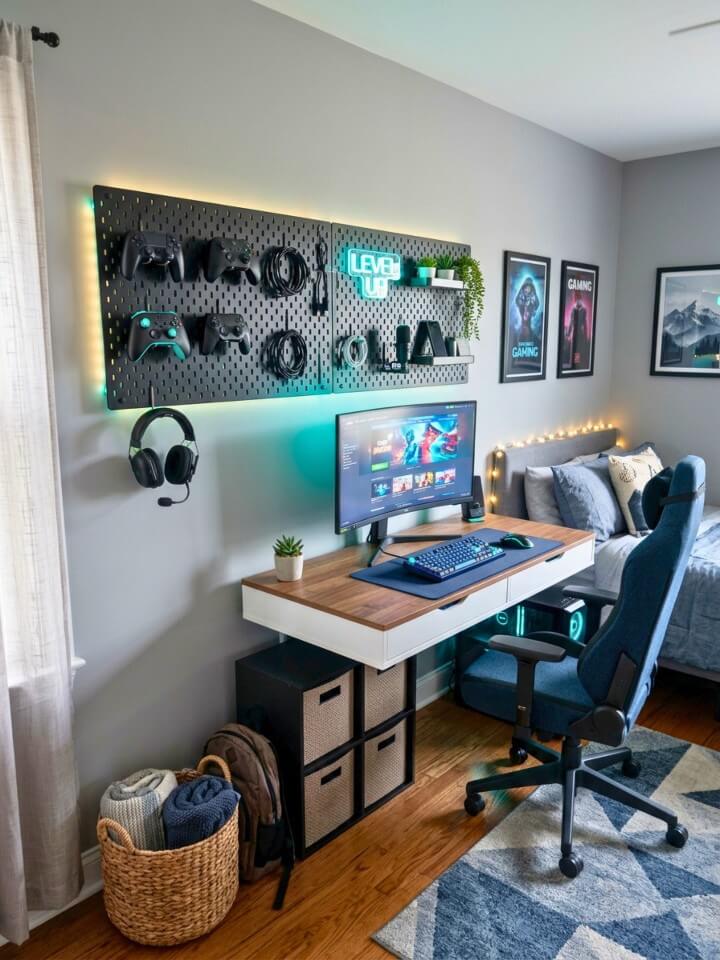
The real argument for a pegboard isn’t decorative — it solves desk clutter permanently. Controllers, headsets, cables, and small tools pile up on desk surfaces because there is nowhere else logical for them. A wall panel creates that logical place and removes it from your workspace entirely. Unlike shelves, pegboard layouts can be fully reorganized in twenty minutes as your setup evolves. To make it look intentional rather than like a garage wall: paint the pegboard matte charcoal, black, or a shade matching your accent wall before adding any hooks. Items mounted against a dark background look displayed. The same items against raw beige MDF look stored.
13. Ambient Sound System
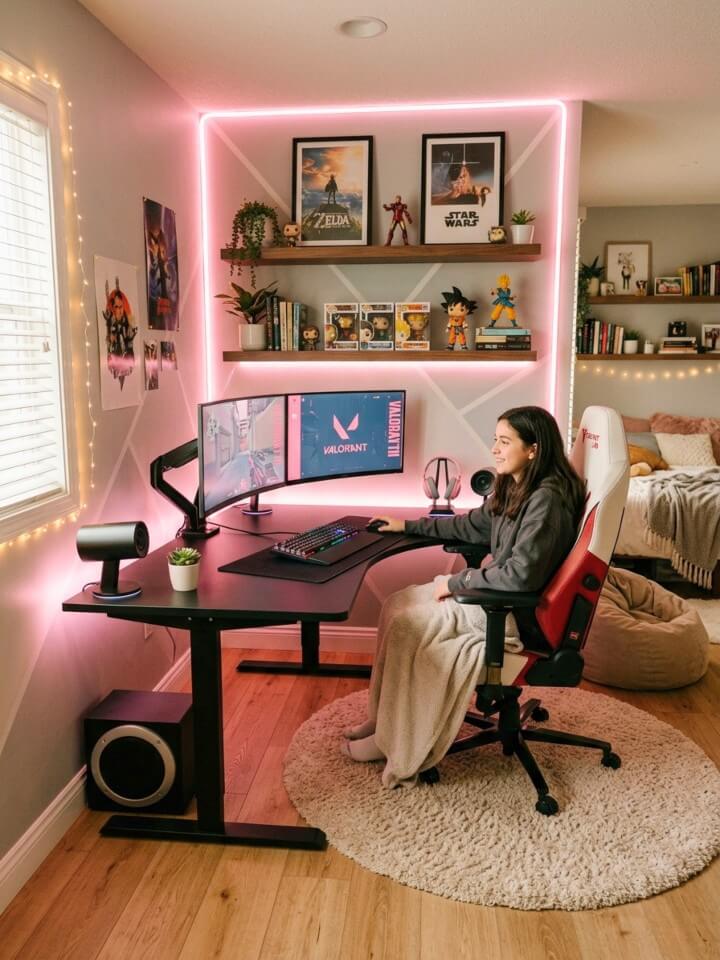
Most teenage gamers optimize visually and completely neglect audio — resulting in a setup that looks serious and sounds like a school computer lab. The common instinct is a soundbar. For a bedroom desk setup, this is usually wrong. Soundbars are engineered for living room distances (8–12 feet). At desk distance, stereo separation collapses and sound feels like it’s coming from one central point. Bookshelf speakers positioned at ear level on either side of the monitor deliver better stereo imaging at the same price. Practical starting point under $200: Edifier R1280T speakers (~$100) paired with a Dayton Audio SUB-800 subwoofer (~$90). Outperforms soundbars costing twice as much at desk distance.
14. Custom Gaming Chair Mat
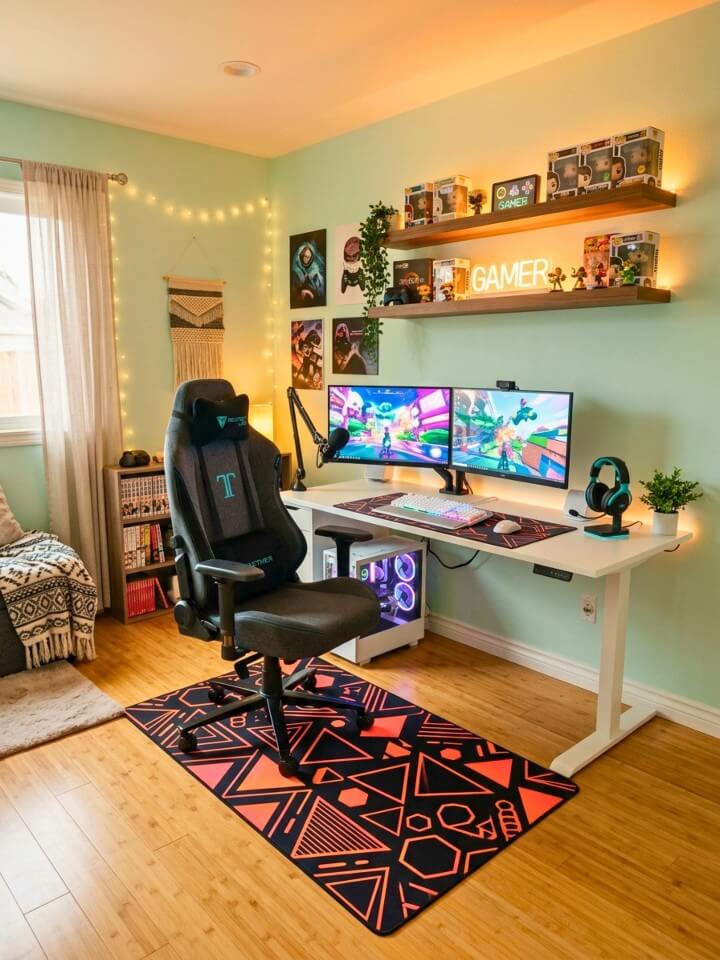
The floor under your desk takes more daily abuse than any other surface. A chair mat addresses damage and makes the desk area look finished rather than like an afterthought. The most important decision is floor type. Hard floor mats are smooth on the underside; carpet mats have plastic grippers. A hard floor mat on carpet slides and becomes a safety hazard. A carpet mat on hardwood scratches the floor within days. Get the floor type right first — it determines the entire product category. On size: most people buy too small. The mat should extend at least 12 inches beyond your chair’s full movement range in every direction. Measure before ordering.
15. Neon Sign Decor
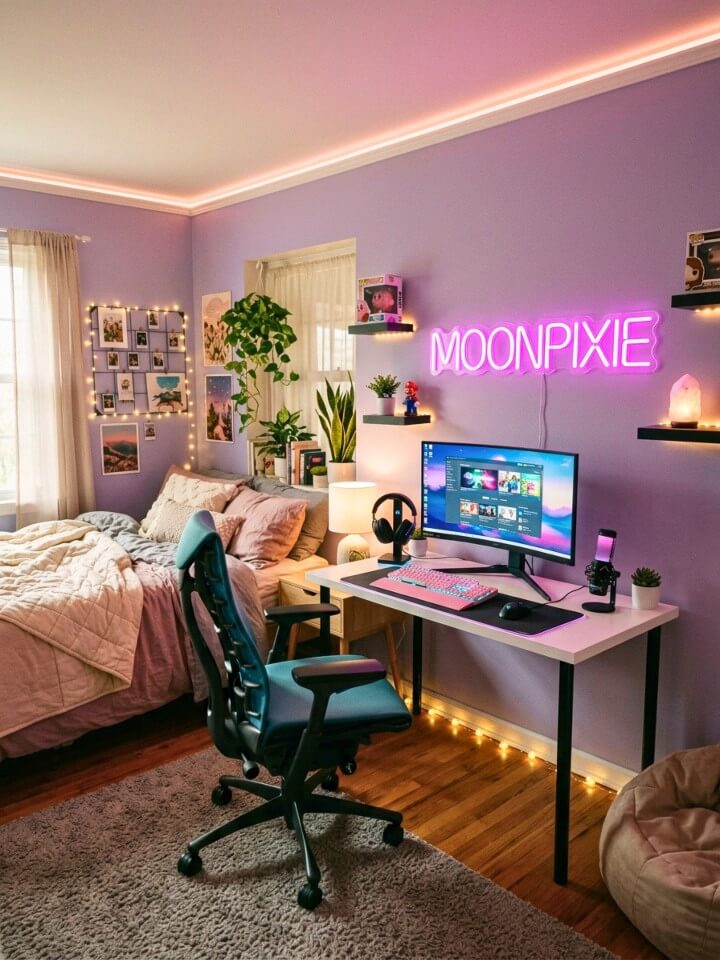
A neon sign is simultaneously a light source, a piece of art, and a personal statement. Done right, it defines the room’s identity. LED neon flex is the practical choice over traditional glass neon — it stays cool, uses far less power, bends into custom shapes, and costs $50–$150 for a custom piece. On placement: neon placed on a wall crowded with posters and other light sources gets visually lost. It needs contrast — dark wall, minimal surrounding clutter, enough empty space that the eye travels to it naturally. Best positions: above the bed as a headboard alternative, or behind the desk where it appears in every photo and video call. On text: avoid title-specific quotes. They age faster than expected.
16. Dual-Purpose Study and Gaming Desk for Real Teenage Bedrooms
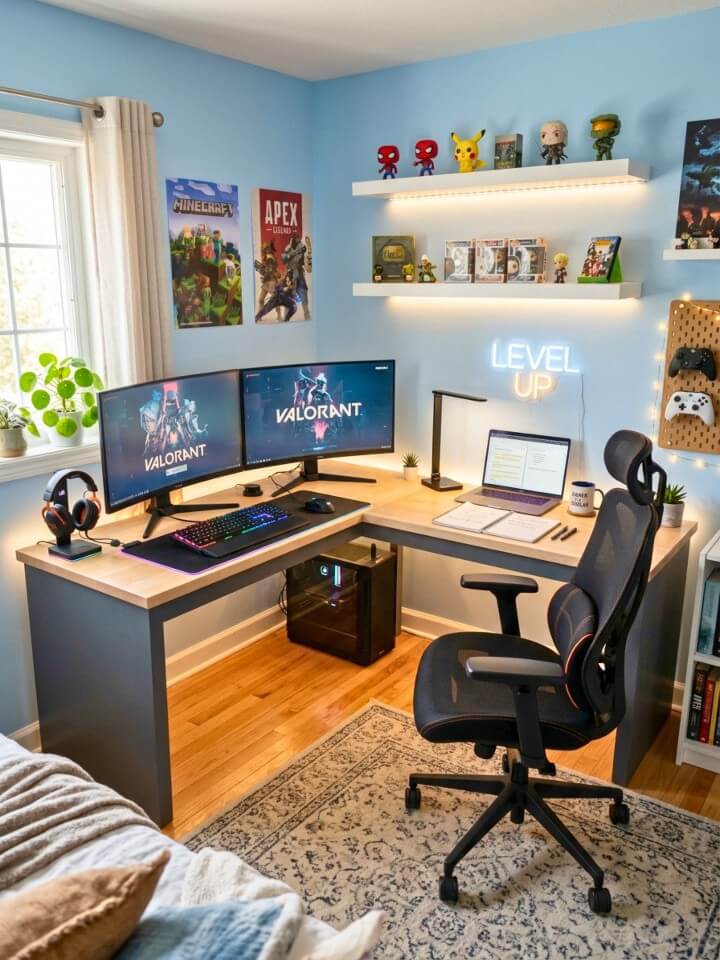
A desk optimized purely for gaming creates friction during homework. One optimized purely for studying feels sterile during gaming. The solution isn’t compromise — it’s a setup that genuinely serves both without either use case working against the other. The physical division of the desk surface matters most: a consistent left-study, right-gaming split means switching between modes requires no physical reorganization. Both zones always ready. For lighting, gaming favors soft ambient bias lighting; studying requires direct, bright, neutral-temperature light. A desk lamp with adjustable color temperature handles both from a single fixture. Worth buying once for both uses: a monitor arm and a quality mechanical keyboard with quieter switches.
17. Floating Nightstand with LED
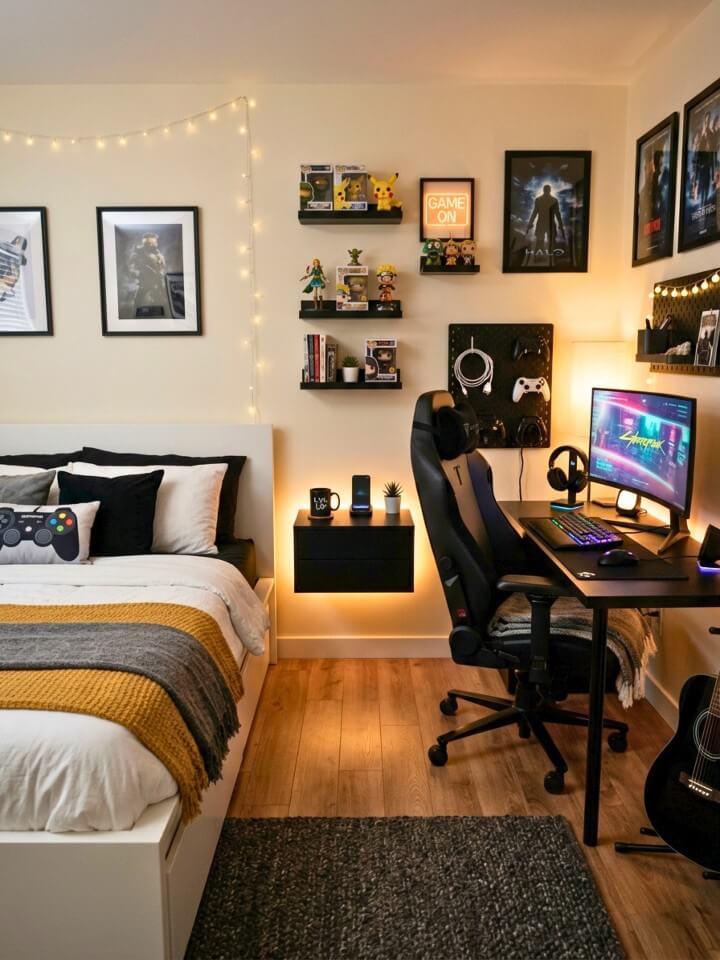
The area beside a gamer’s bed serves a different purpose than in a standard bedroom — it’s where the controller lands during a switch to bed gaming, where the phone charges at 1 AM, where the headset goes when a session ends. A floating wall-mounted shelf is the right call for most teenage bedrooms: it provides equivalent surface area to a traditional nightstand with zero floor footprint. On mounting height: standard recommendations are built for reaching while lying down. Gaming use requires reachability from a seated bed position too. Mount at mattress height plus 3–5 inches. For LED: warm white underlighting at low brightness creates enough light to find things in a dark room without disrupting sleep.
18. Gaming Rug with Graphic Designs
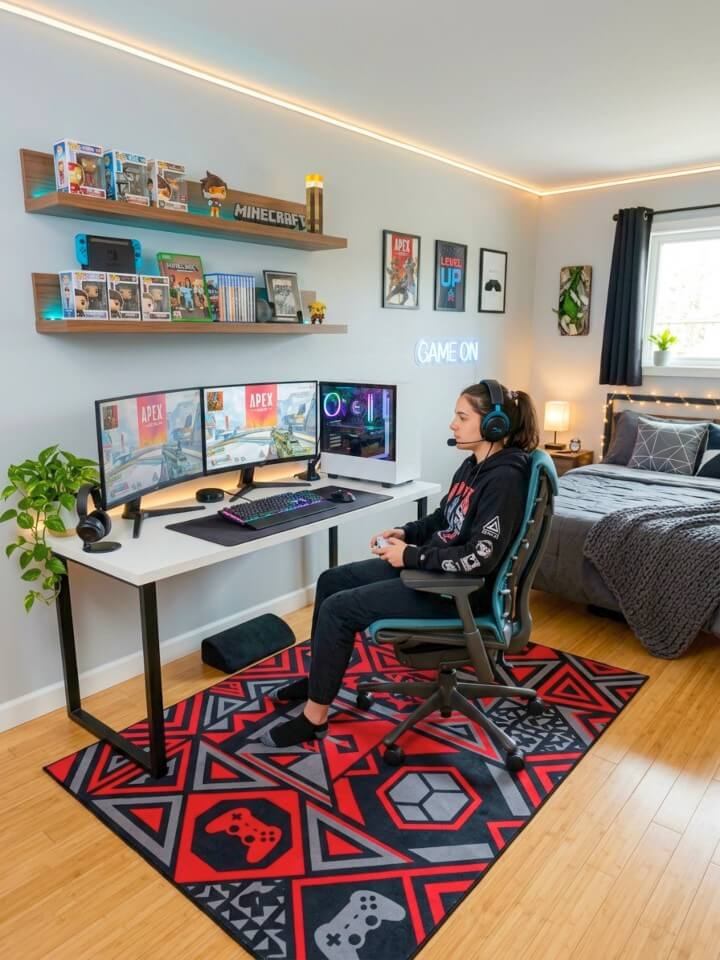
Rooms that feel designed rather than decorated almost always have a rug that anchors the space and gives furniture something to relate to. The floor is usually the last thing considered and the element that would make the most immediate visual difference. A rug’s zoning function is underappreciated: a large rug under the desk defines the gaming zone visually; a smaller rug near a nook establishes a second distinct space.
If the bedroom already has darker flooring, ideas from jaw-dropping dark brown floor living room ideas can help you choose rug colors that add contrast instead of disappearing into the room. Critical detail for desk zones: avoid high-pile rugs. Chair wheels sink into thick pile, movement becomes resistant, and the rug mats permanently in the chair’s movement path. Use low-pile or flatweave under the desk. Save the softer texture for the nook or bedside.
19. Cable Management System
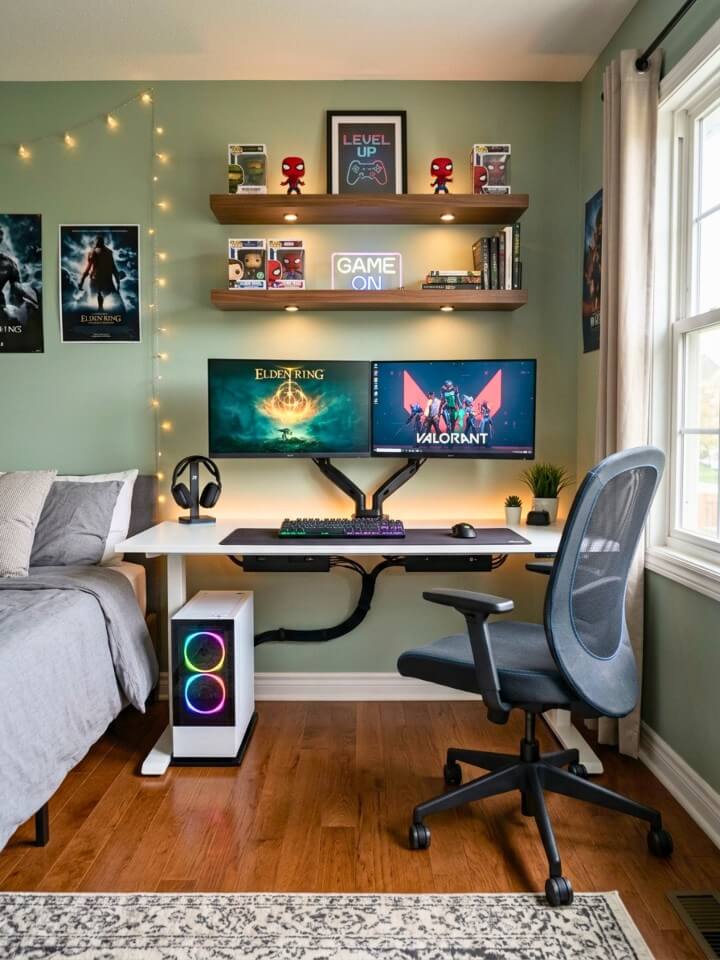
Visible cable runs are why a room full of great individual components still looks unfinished and slightly chaotic. Cable management is the least glamorous upgrade in a gaming room and one of the highest-impact ones. Materials cost very little; the time investment is an afternoon. Work in zones: at the desk surface, adhesive cable clips route cables along the rear edge and out of sightline. From the desk edge downward, a cable sleeve consolidates everything into one vertical run to a power strip mounted underneath. One bundled run reads as intentional. Five separate cables each finding their own path to the floor reads as neglected. For wall runs, flat adhesive raceways matching the baseboard become nearly invisible.
20. Personalized Controller Display
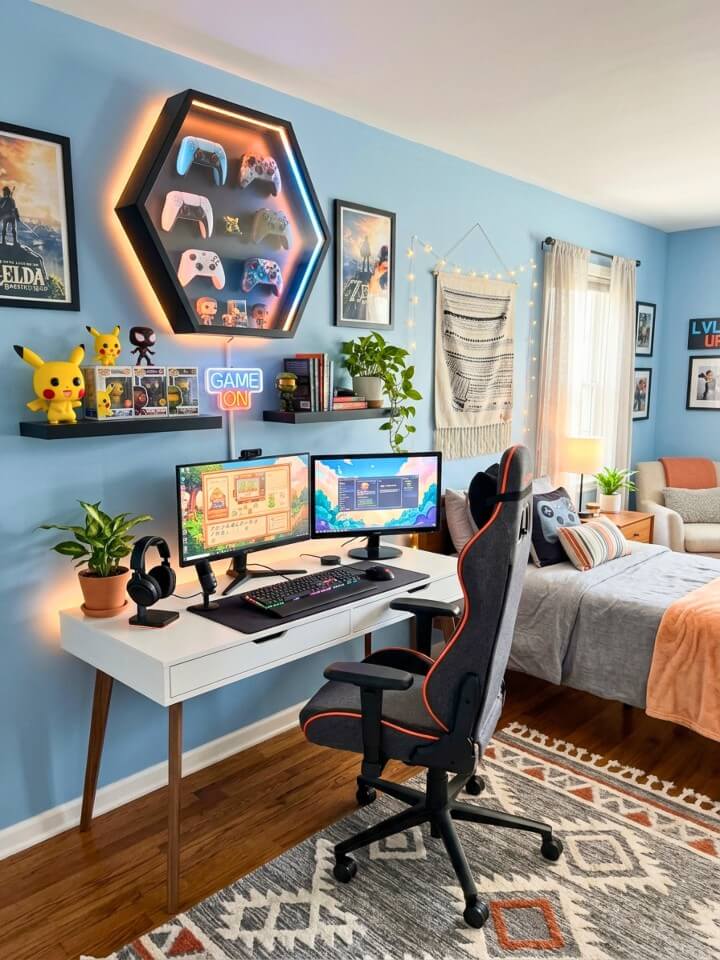
Controllers accumulate — current generation, previous generation, limited editions — and most end up in a drawer where they pile up and become hard to find. The decision between wall mounting and display cases comes down to one question: active rotation or collection pieces? Active controllers belong on wall mounts — visible, accessible, easy to grab. Collector pieces belong in display cases where they are protected and visible without daily handling. What makes a display look curated versus cluttered is an organizing principle. Chronological by console generation tells a gaming history at a glance. Color-based organization creates a purely aesthetic display. Either approach transforms the same controllers from clutter into collection.
21. VR Gaming Corner
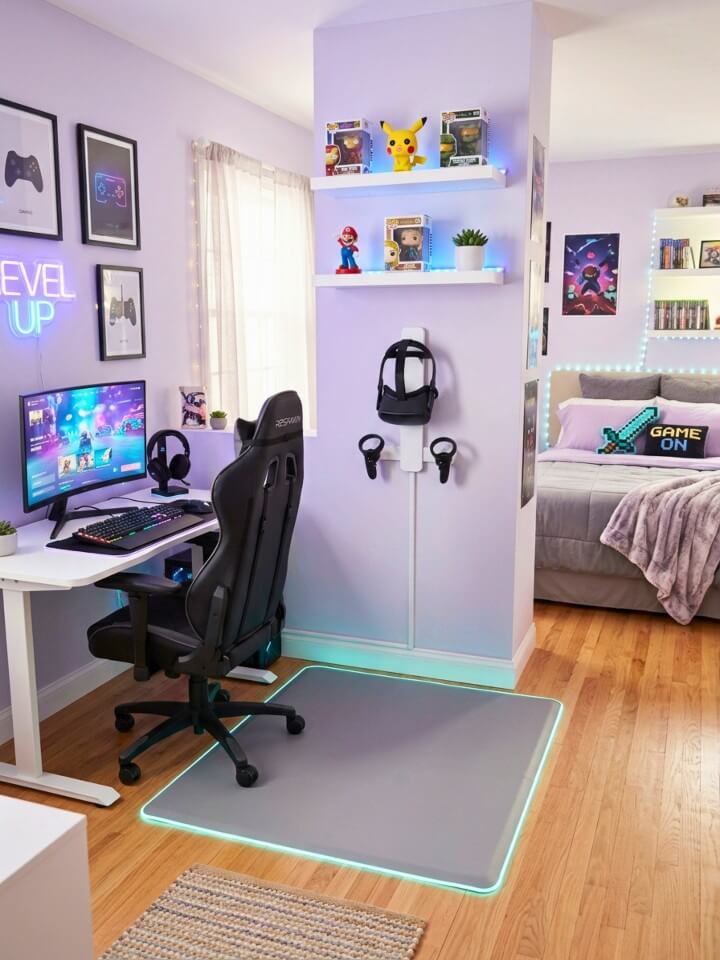
Most VR headsets get used heavily for two weeks and then sit untouched. The reason is friction — every session requires moving furniture and clearing space. A dedicated corner eliminates that barrier. Space requirement is non-negotiable: most VR systems need a minimum 6.5×6.5 foot clear area for room-scale experiences. Commit that corner to staying furniture-free permanently. LED floor strips along the perimeter solve two problems simultaneously: they mark the play boundary clearly during sessions and integrate into the room’s overall lighting design. For storage: a wall-mounted headset holder, a compact controller charging dock beside it, and a retractable ceiling cable mount for PC VR all fit within two square feet of wall space.
22. Gaming Trophy Shelf
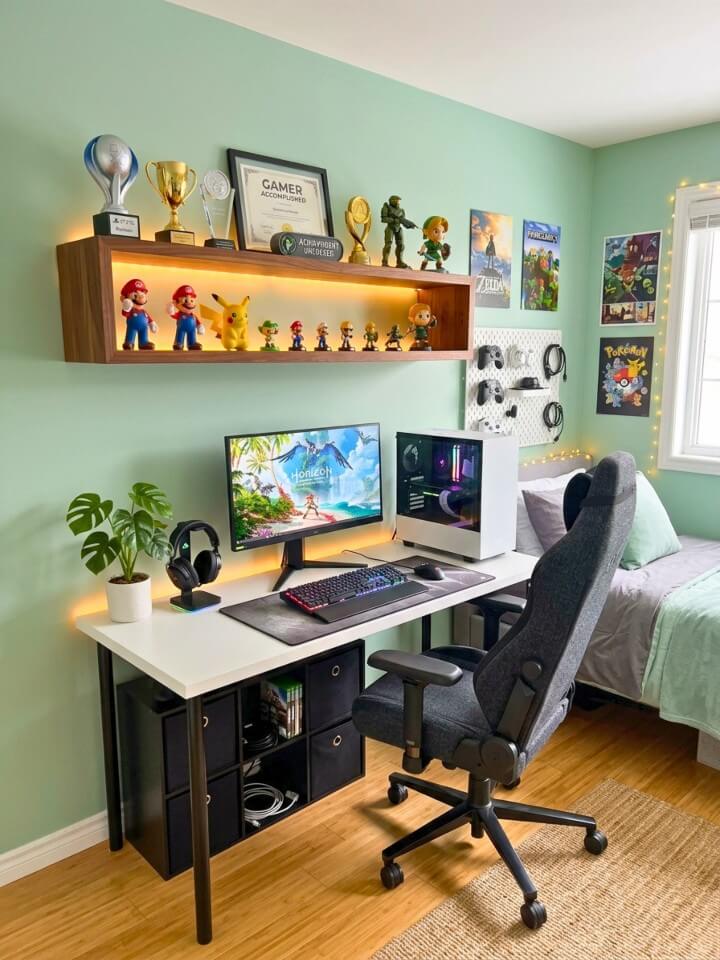
Digital achievements are satisfying in the moment and completely invisible an hour later. A trophy shelf makes accomplishments permanently visible in the room where the work happened. Physical trophies exist for some titles, but the more practical approach is creating physical representations of digital achievements. Custom printed platinum trophy cards, framed completion certificates, or achievement art from Etsy sellers who specialize in gaming prints turn invisible milestones into wall-worthy pieces. On lighting: a trophy shelf without dedicated lighting disappears into the background in a dim gaming room. A small spotlight or LED puck light directed from above creates focused illumination. Top-down lighting works better than underlighting here because it adds dimension and makes the display feel three-dimensional.
23. Wall-Mounted Headphone Stand
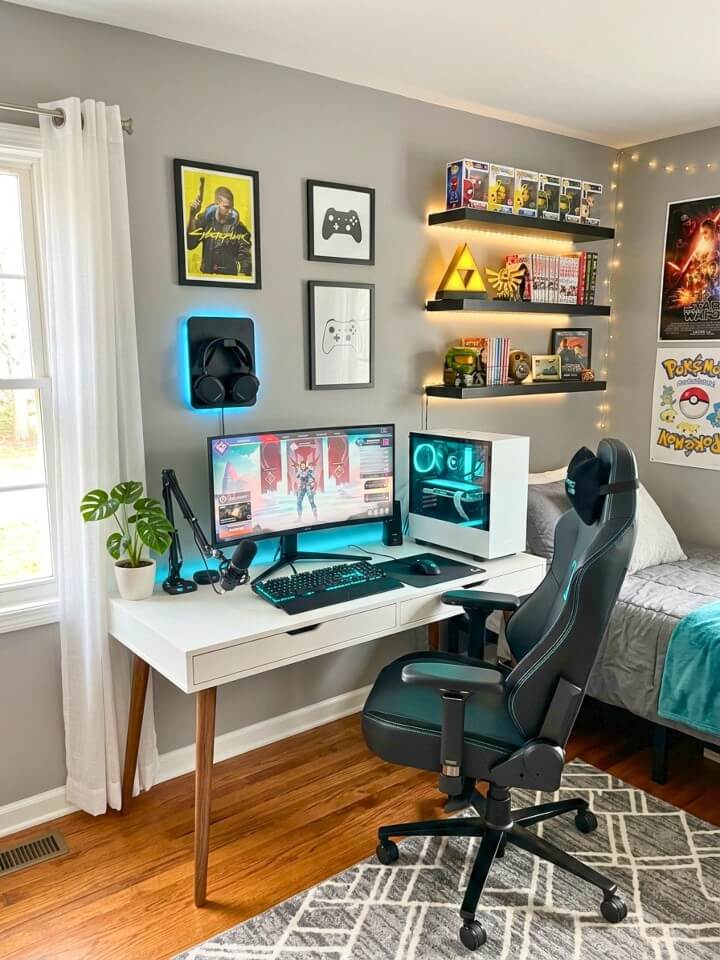
A headset left on the desk occupies surface space, gets knocked over by any bump, and the headband takes stress from resting on a hard surface for hours daily — shortening its lifespan. Wall mounting removes the headset from the collision zone entirely. Desk stands keep it technically off the surface but still within range of an elbow or a controller grabbed quickly. A wall mount positions it somewhere you reach for intentionally. On placement: mount close enough to grab without standing — roughly arm’s length from the seated position. On height: the bottom of the headset should clear the wall by at least two inches when hanging, which typically means mounting higher than feels intuitive.
24. Window Treatments
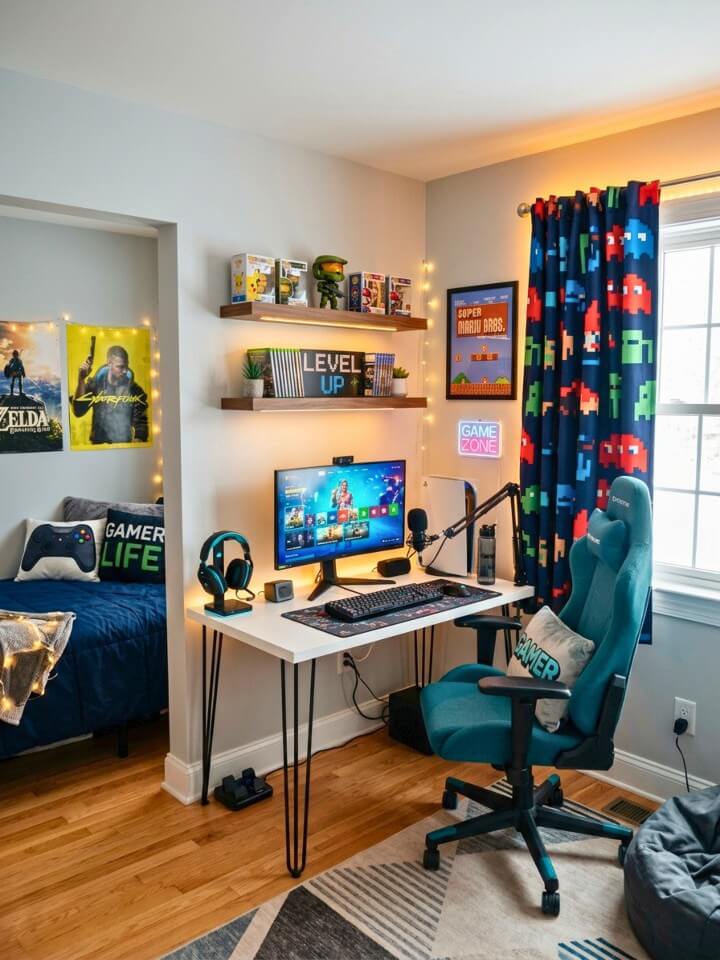
Natural light is the enemy of a gaming setup in ways that are easy to underestimate. Monitor glare from sunlight creates eye strain that no brightness setting fully compensates for. RGB lighting becomes invisible in a bright daytime room. Blackout curtains are the functional foundation — everything else is secondary. A proper blackout curtain blocks 95–99% of incoming light, making the monitor look right and the lighting work as designed. On design: avoid character-specific or game-logo curtains. They age at the same rate as character bedding. Deep solid colors matching the room’s palette — charcoal, navy, forest green — read as intentional interior design and remain compatible with every future version of the room. Hardware matters: a rod mounted wider than the window on both sides creates a true blackout seal.
25. Mini Fridge for Snacks & Drinks
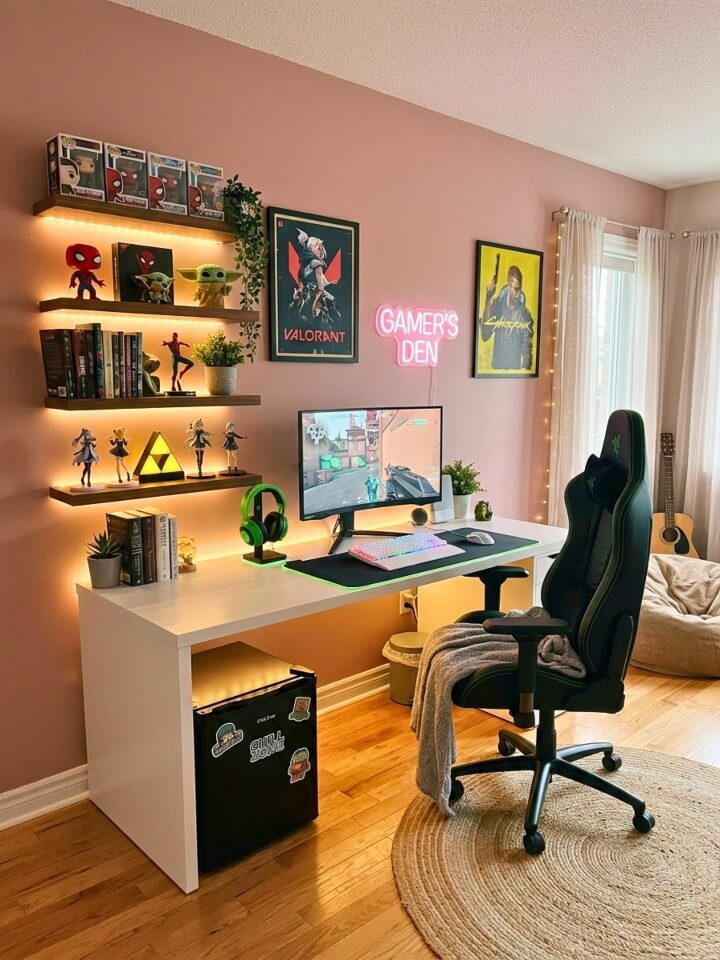
Leaving a gaming setup mid-session has a real cost — missed rotations in competitive games, broken focus during a strong run. A fridge within arm’s reach eliminates that cost. On size: a 1.7 cubic foot mini fridge fits under most desks but holds very little — realistically 4–6 cans. A 2.5–3 cubic foot model requires a dedicated floor position beside the desk but holds a full day’s worth without restocking. The slightly larger option is usually worth the extra footprint. To integrate it visually: a custom vinyl wrap in the room’s color scheme, a small LED strip along the top edge, or a magnetic whiteboard sheet on the door makes it look designed rather than placed.
FAQs About Teenage Gamer Bedroom Ideas
These are the questions that come up most often when someone is actually in the middle of setting up a gaming bedroom — practical concerns the main ideas above do not cover in full detail.
How Much Does It Realistically Cost to Set up A Teenage Gamer Bedroom from Scratch?
A functional teenage gamer bedroom setup does not require thousands of dollars. A reasonable starting budget of $300 to $500 covers a decent desk, basic RGB lighting, cable management, and a chair with proper support. The mistake most people make is buying everything at once. Prioritizing the desk and chair first, then adding layers over several months, produces better results than a single large purchase that stretches the budget too thin across every category simultaneously.
Can a Small Bedroom Still Work as A Proper Gaming Space?
Room size matters far less than how the space is organized. Wall mounting monitors, using floating shelves instead of freestanding furniture, and keeping storage vertical rather than horizontal reclaims significant floor space in smaller rooms. Some of the most visually impressive gaming setups exist in rooms under 120 square feet because the constraints forced more intentional decisions about what actually belongs in the space and what does not.
What Should a Teenage Gamer Prioritize when Parents Have Strict Rules About Wall Damage?
Peel-and-stick solutions have improved dramatically and cover most gaming room needs without a single permanent hole. Adhesive LED strips, removable wallpaper for accent walls, peel-and-stick shelf brackets rated for moderate weight, and adhesive cable management raceways handle lighting, storage, decor, and organization completely. The only category that genuinely benefits from wall anchoring is heavier floating shelves — for those, damage-free anchor kits rated for drywall solve the problem without permanent modification.
How Do You Keep a Gaming Bedroom from Feeling Overwhelming or Visually Chaotic?
The rooms that feel chaotic almost always have the same problem — too many competing focal points fighting for attention simultaneously. Choosing one dominant element per wall, keeping the color palette to two or three consistent tones throughout the room, and ensuring at least some visual breathing room between display areas prevents the cluttered feeling. Restraint consistently produces rooms that feel designed. More stuff, more lighting, and more decor rarely fixes a room that already feels like too much.
Is It Worth Investing in Acoustic Treatment for A Teenage Gamer Bedroom?
For gamers who stream, record, or use voice chat heavily, basic acoustic treatment delivers noticeable improvement without significant cost. Foam panels are not required — thick curtains, a large rug, upholstered furniture, and full bookshelves all absorb sound reflection naturally. The combination of blackout curtains, a desk chair with padding, and a rug under the desk area reduces echo meaningfully in most standard bedroom sizes without purchasing dedicated acoustic products or modifying the room permanently.
Final Thoughts:
A great teenage gamer bedroom does not happen because someone spent the most money. It happens because someone made deliberate choices — about light, about space, about what actually belongs in the room, and what is just clutter wearing a gaming logo.
Start with one thing. Fix the cables, mount the monitor, add a shelf with proper lighting. Each change makes the next one easier to see.
The best setups are never really finished — they evolve as your taste sharpens and your collection grows. That ongoing process of refining the space is honestly half the fun. The room should feel like you built it, because you did.